Available on
Email and intake threads work on every plan. SMS turns on at Crew. See pricing.
One inbox. Every text, every email, every request from your clients.
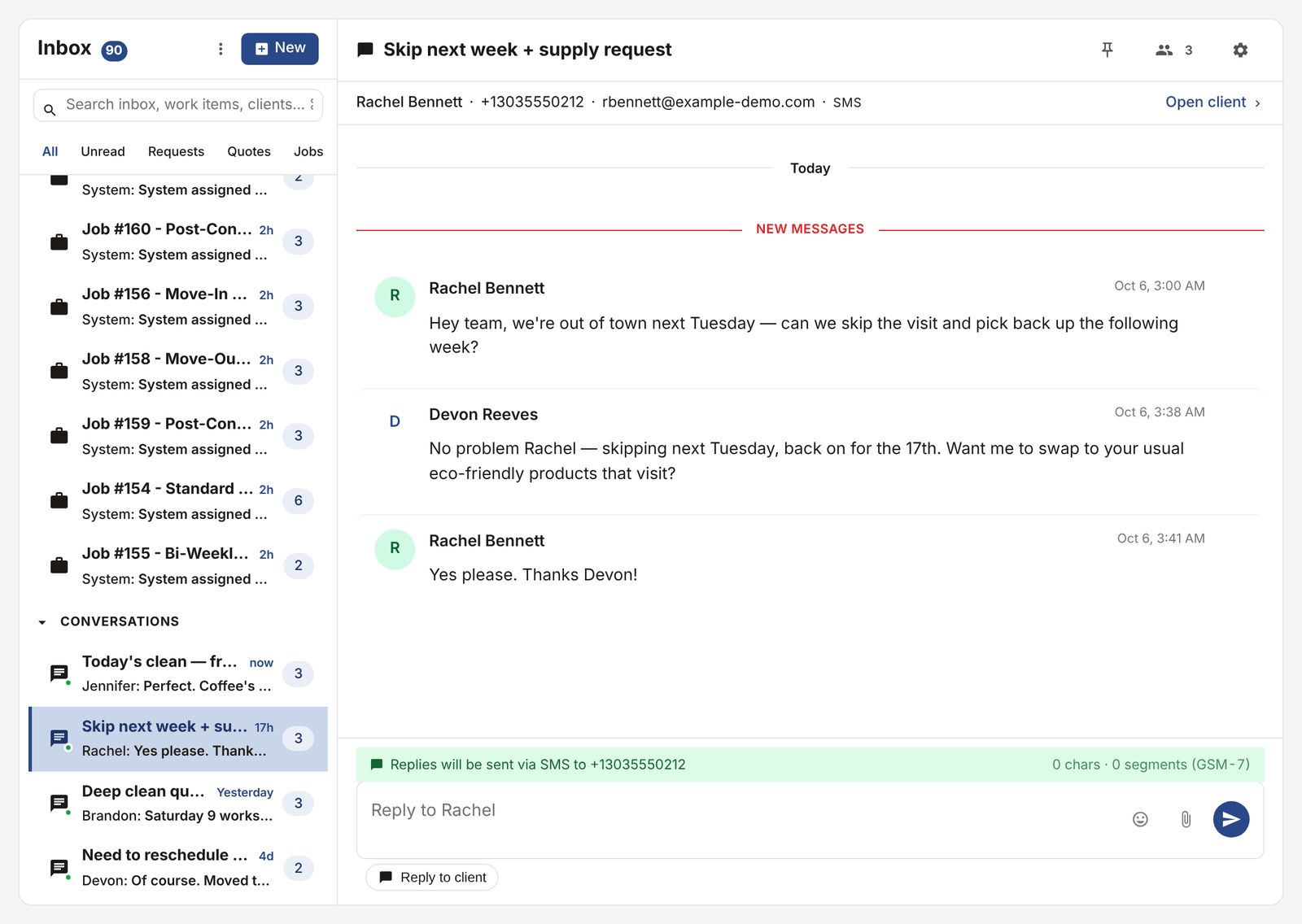
Stop bouncing between your phone, Gmail, and a clipboard to figure out what a client said. Every message threads to the client, the job, and the quote it belongs to.
What this solves
Right now your client conversations live in five places. Texts on your phone. Emails in Gmail. Voicemails you'll listen to later. A Facebook DM you saw on Tuesday. A request form on your website that emails you a generic notification. By Friday afternoon you cannot remember whether Mrs. Henderson confirmed Thursday's appointment over text or email, so you call her and look unorganized.
The unified inbox pulls all of it into one screen. Every SMS goes through your business number and threads to the right client. Email replies come back to a signed Reply-To address and land in the same thread. Forms submitted through your public intake URL show up here too. When you open a conversation, you see the full history with that person, regardless of which channel they used.
If you have a team, everyone sees the same inbox. No more "did you reply to that?" between you and your spouse running the office.
How it works
-
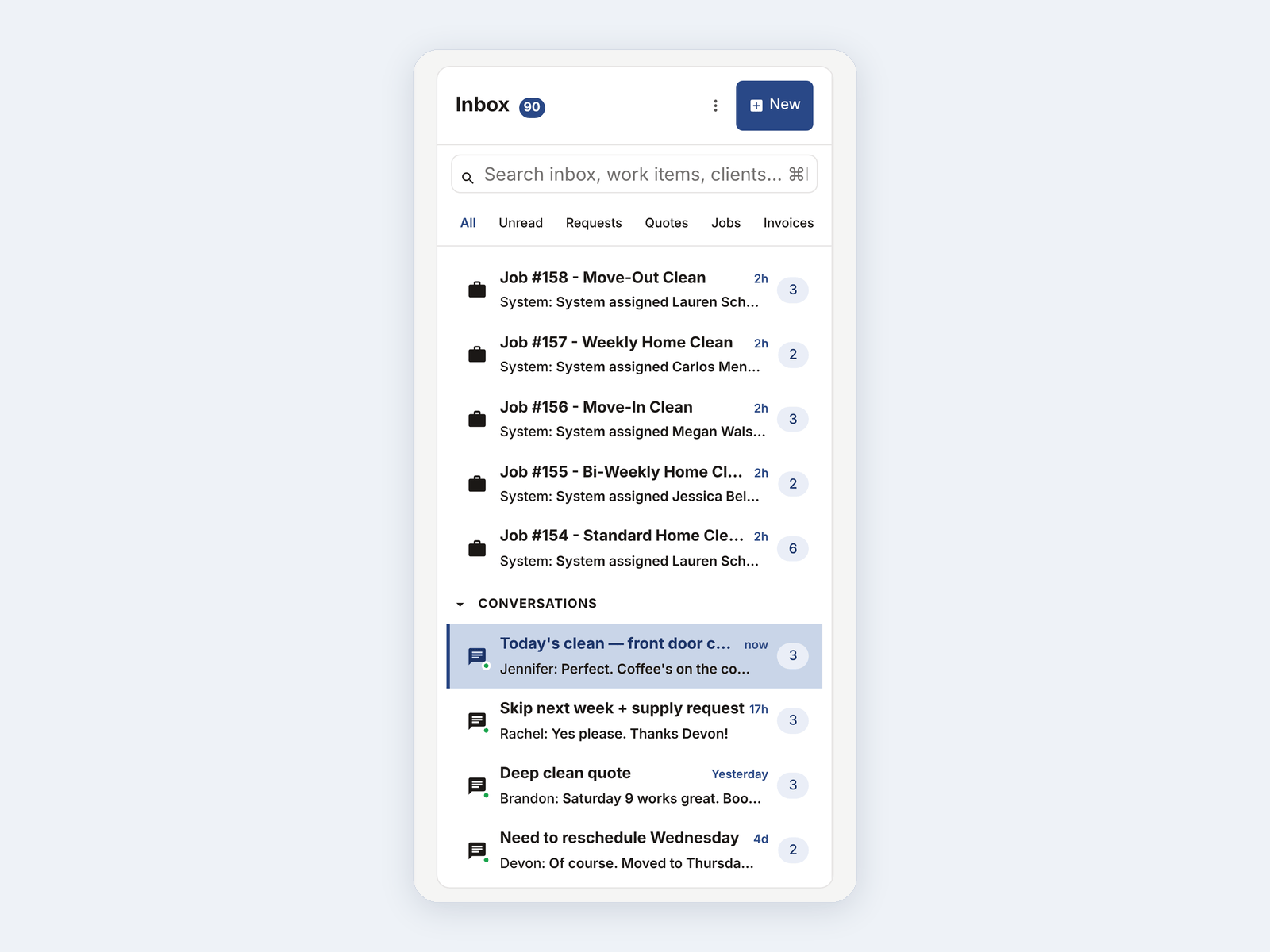
Open the inbox.
Every channel lives in one list. Unread threads bubble up. You can filter by unread, by channel, by client.
-
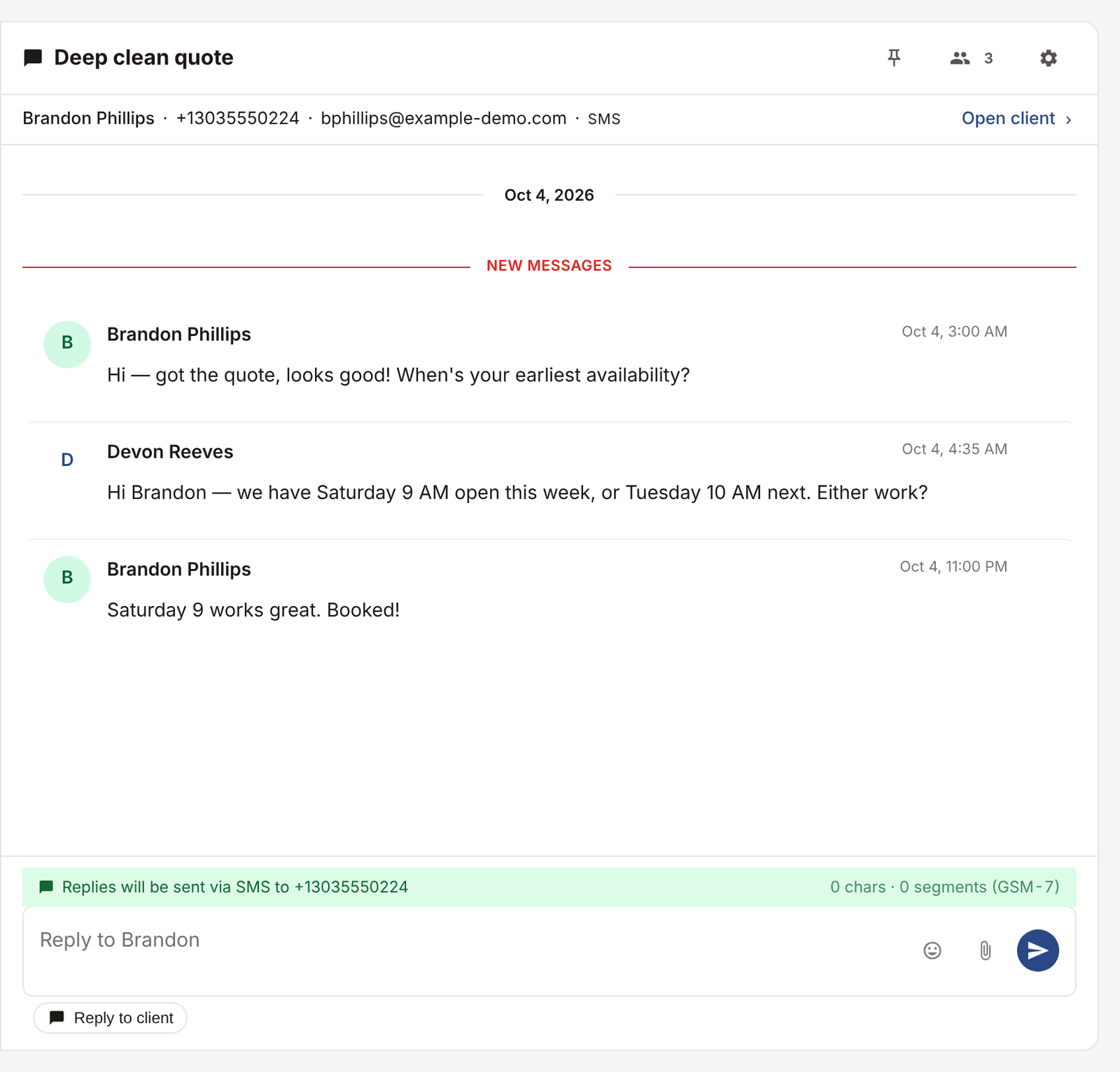
Reply from any channel.
Click into a thread, type your reply, send. It goes out the same channel they used to reach you. They text, you text back. They email, you email back. They do not see two threads.
-
Every message links to the right record.
Talking about a specific quote or job? Pin the message to it. The message shows up on the job timeline, the quote timeline, and the client's activity log. Three months later when you ask "did we ever quote those gutters?" the answer is one click away.
-
Your team sees it too.
Mute a thread, pin one to the top, mark it as needing follow-up. If you and someone else both work the inbox, you see who replied last and when.
See it live
The demo inbox has real-looking conversations across SMS and email so you can see how threading works.
Open the live demoNo signup. Click around.
What's included
- SMS in and out from your real business number (A2P 10DLC compliant)
- Email in and out with signed Reply-To addresses
- Public intake form submissions thread into the inbox
- Per-channel filtering and search
- Pin a message to a job, quote, or invoice
- Internal notes that clients never see
- Team-wide visibility with last-replied indicator
- Read/unread state synced across web and mobile
Plan availability
Email and intake threading are on every plan. SMS is included on Crew ($79/mo, 100 segments per month) and Shop ($149/mo, 500 segments per month). Solo and Free do not include SMS. See pricing.
Common questions
Does the SMS come from my real number?
Yes. We register a business number for you with the carriers (the A2P 10DLC process). It takes a few days to approve. Once approved, every text in EosLog goes out from that number, and clients can save it in their phone the way they would any other contact.
Can I keep using my personal phone for some clients?
You can, but you'll lose the threading. Texts that go through your personal phone do not show up in EosLog. Most shops switch fully to the EosLog number within the first week.
What if I do not want to use SMS?
That's fine. The inbox works with email only. SMS is opt-in, and you can turn it on later.
Can clients reply to my emails and have it thread back?
Yes. We use a signed Reply-To address that routes their reply into the same conversation in the inbox. They see your real email address as the sender.
Does this work on my phone?
Yes. The inbox works in any mobile browser, and the native EosLog app on iOS and Android has a dedicated inbox screen with push notifications for new messages.