Available on
The library is free for everyone. To attach a template to a job and capture client signatures, use Crew or Shop. See pricing.
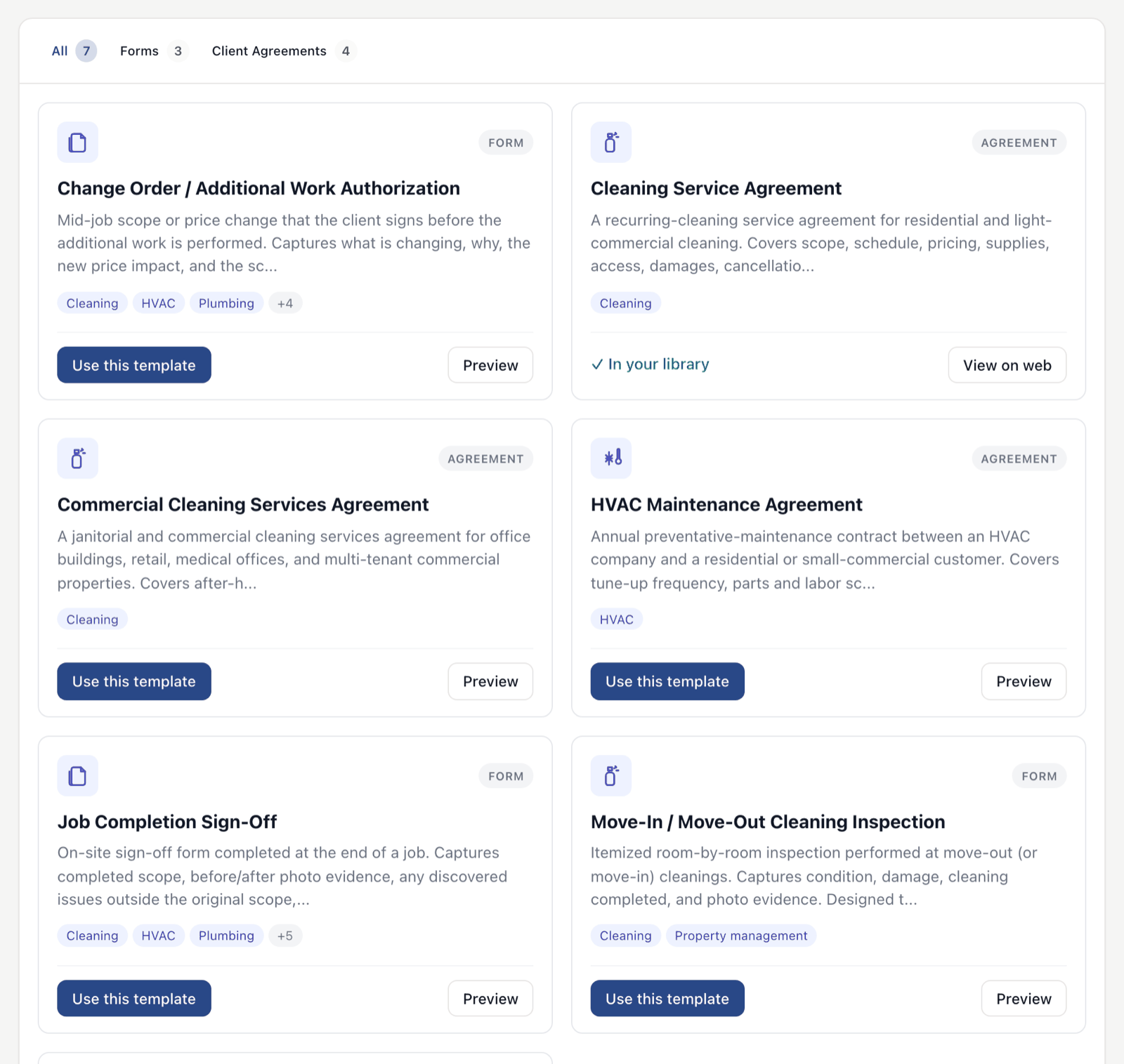
Pre-built forms and agreements you can take and make your own.
Service agreements, bids, work orders, completion sign-offs, pesticide application records. Pick from the library, customize what fits your business, send. Faster than starting from a blank page.
What this solves
Most service businesses do not have a clean service agreement. They have one they copied from a forum five years ago, missing the cancellation clause, missing the photo release, with the wrong name in the header. They never updated it because they did not know what should be in it, and they did not have time to look up what their state requires them to record.
The template library gives you a starting point per template, written by people who have spent time on the legal and operational details. Cleaning service agreements with cancellation terms. Pesticide application records with each product's EPA registration number and the applicator's license. Change orders. Completion sign-offs with photo capture.
Pick the template. Edit the parts that are yours. Save it as one of your own. Send it from EosLog. The library grows as more verticals get covered.
How it works
-
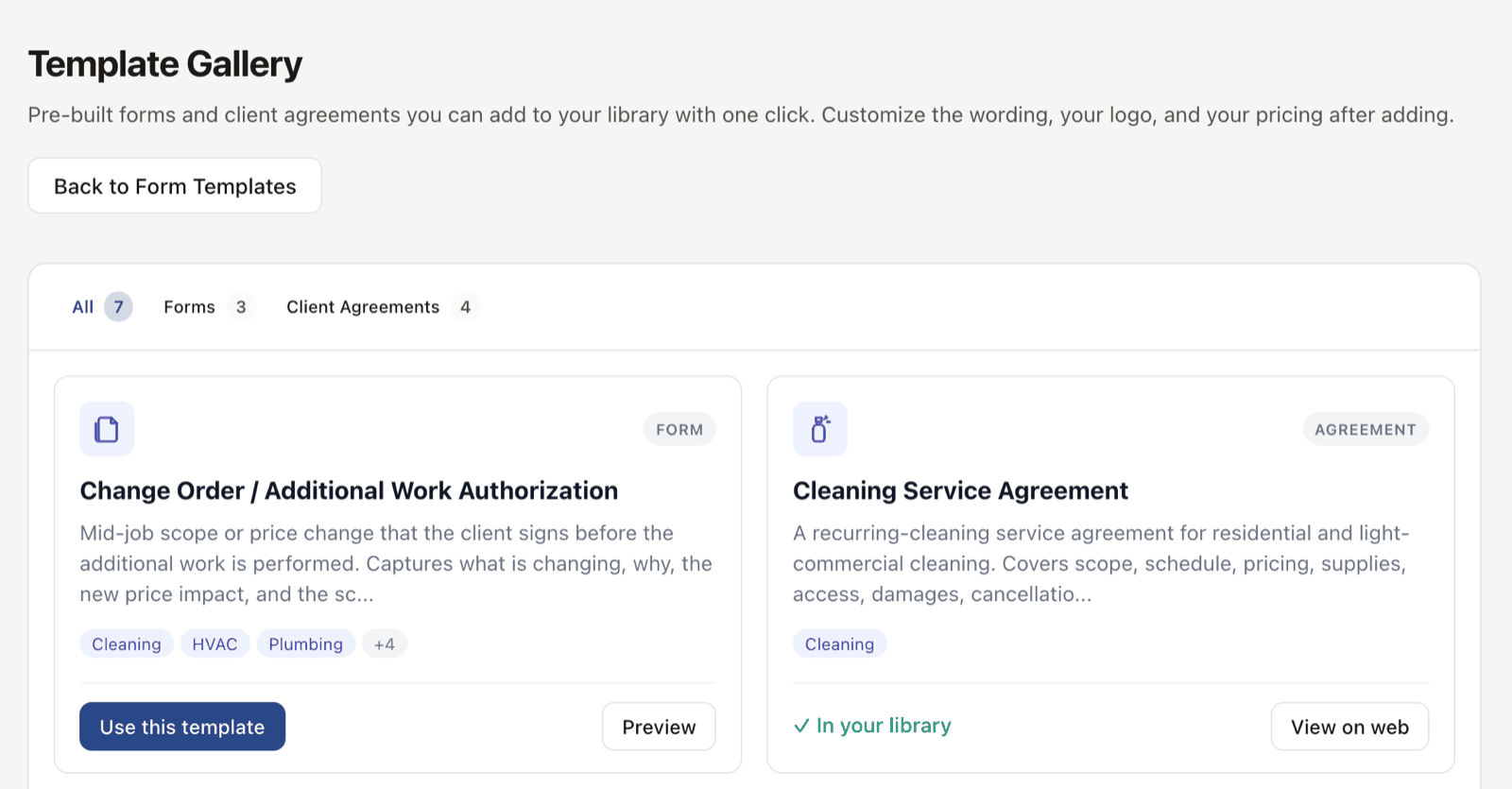
Open the library.
Settings, then Forms, then Browse Library. You see every template in the catalog with a description, the vertical it's built for, and a preview.
-
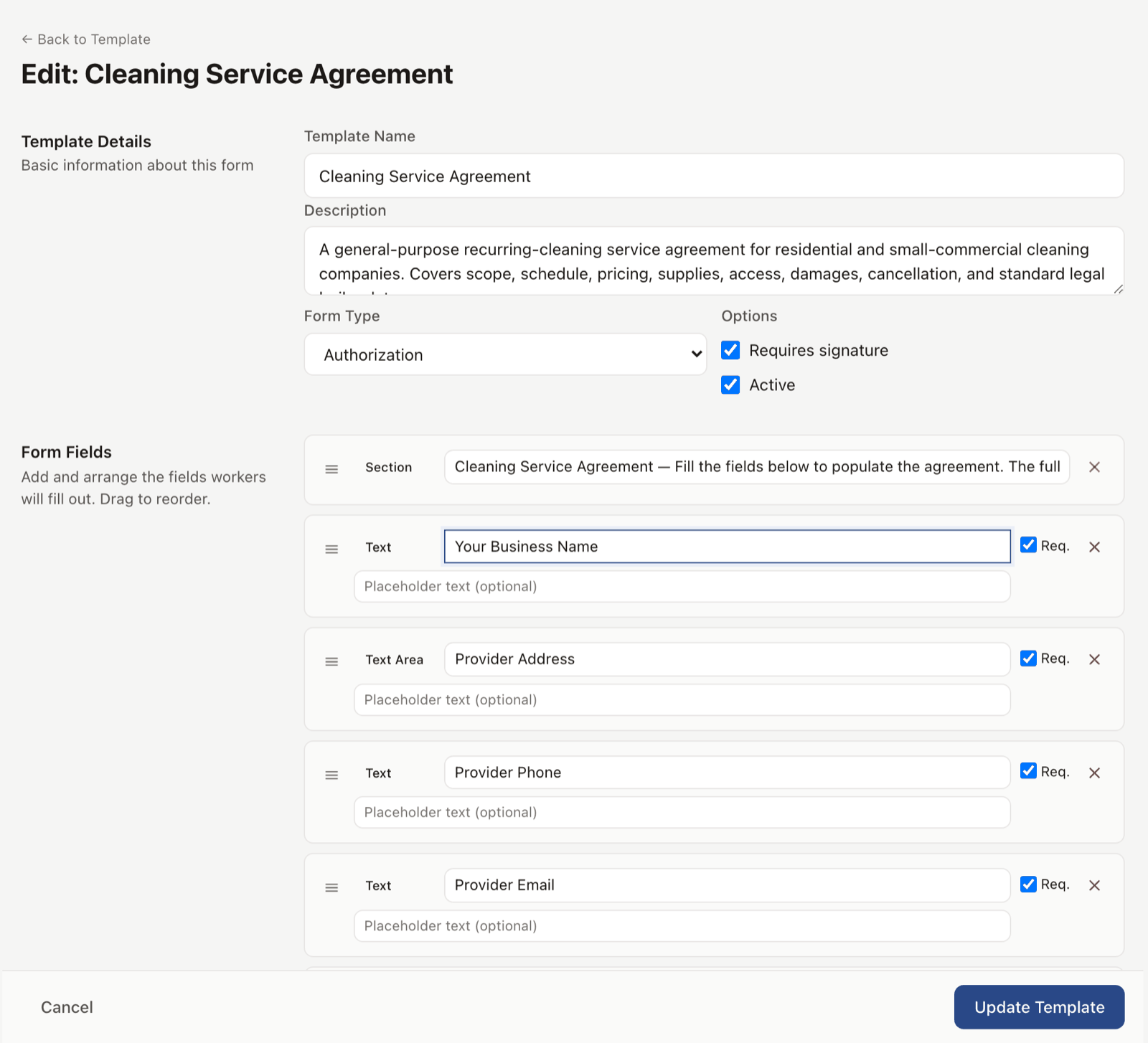
Pick one and customize.
Preview the template. Click "Use this template." It clones into your account where you edit the fields, your terms, your branding, your services. The original stays untouched.
-
Send it like any of your forms.
Attach to a job, send for client signature, or post to your public-facing link. Behaves like every other form in EosLog, with PDF copies archived to the client record.
-
The library keeps growing.
New templates land regularly based on what users ask for. If your trade needs something that isn't there yet, tell us and we will build it.
See it live
Browse the templates in the demo, preview one, see how it fills out. The public gallery also lives at eoslog.com/templates, no account needed.
Open the live demoNo signup. Click around.
What's included
- Cleaning service agreement (recurring residential)
- Commercial cleaning and janitorial agreement
- Airbnb cleaning contract
- Move-in / move-out cleaning inspection form
- HVAC annual maintenance agreement
- Commercial lawn care bid
- Pesticide application record
- Change order / additional work authorization
- Job completion sign-off with photo capture
- Work order form
- Time and materials log
- Customer-supplied materials acknowledgment
- Photo release for before-and-after marketing
Plan availability
Browsing the library and downloading template PDFs is free for everyone, no account required for the public gallery at /templates. Attaching a template to a job, capturing client signatures, and saving it as a reusable Field Form is included on Crew ($79/mo) and Shop ($149/mo). See pricing.
Common questions
Can I edit the templates after I pull one in?
Yes. Once you clone a template into your account, it is yours. Change any field, any wording, any branding. The original library copy stays the same so you can reset if you mess up.
Are the legal templates good in my state?
They are general-purpose starting points, not certified for any one state. The pesticide application record covers the fields state rules commonly ask for and tells you to check your state agency's list. We are not your lawyer. For high-stakes contracts, run them by an attorney.
Can I share a template with other companies I work with?
Right now, templates are scoped to your account. Sharing across accounts is on the roadmap.
Do you take template requests?
Yes. Tell us what your trade needs and we'll add it to the catalog. The faster-growing verticals get prioritized.
What is the difference between a template and a Field Form?
Templates are pre-built starting points. Field Forms is the feature you use to build any form from scratch, including ones cloned from a template. Once a template is in your account, it is a Field Form.