Available on
Included on every plan. See pricing.
Your services in one place. Used everywhere they need to show up.
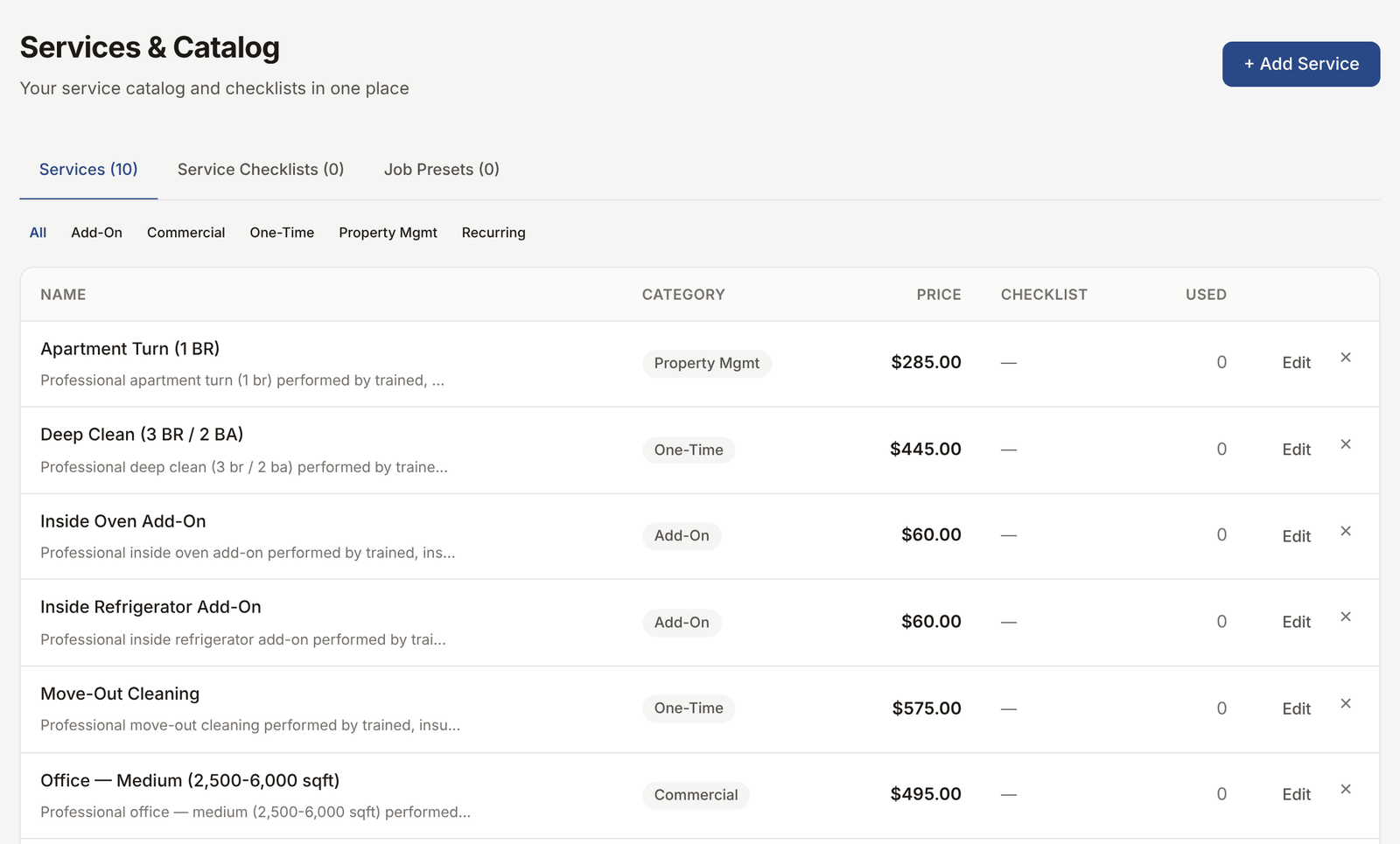
Set up each service once with its price and tax rate. The services auto-populate on quotes, jobs, the public intake form, and invoices. Change a price in one place, every future record updates.
What this solves
The same service is named three different things across your records. "Deep clean" in one quote, "Deep cleaning" in another, "Move-in clean" on the invoice. Your numbers are messy because nothing rolls up. When you raise prices, you forget to update the quote template and a client gets the old number.
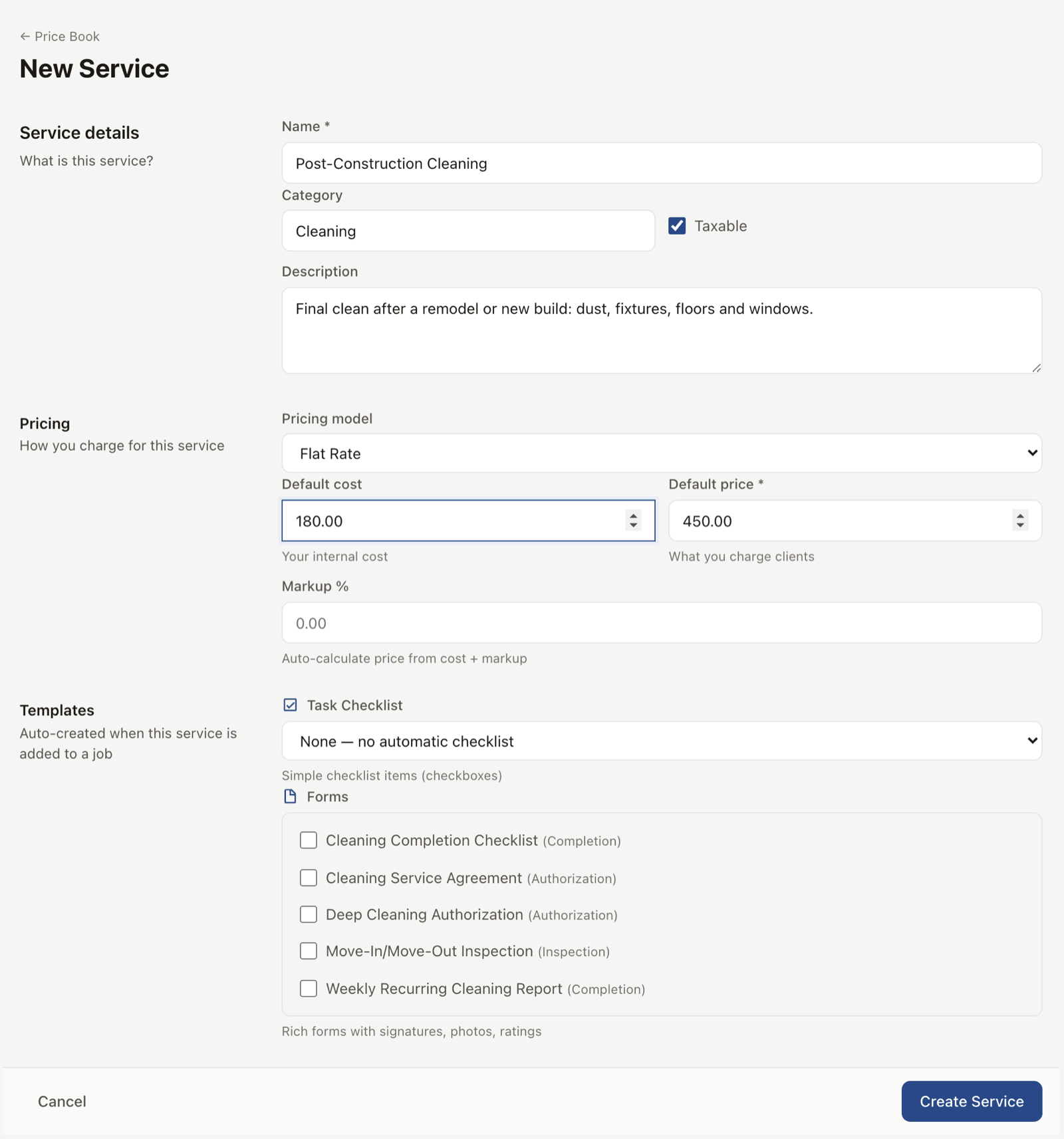
EosLog services are a single source of truth. You set up each one with a name, a description, a price (or a price range), a tax rate, and a category. From then on, every time you build a quote, schedule a job, send an invoice, or take in a public request, the services pull from the same list. You change a price in one place and every future record uses the new number.
The intake form shows your services to the prospect so they pick from a real menu instead of writing "deep clean maybe?" in a free-text box. Your reports group by service so you can see which work is making money.
How it works
-
Build the catalog.
Settings, then Services. Add a service with a name, description, price, and tax rate. Group services into categories.
-
Services show up where they belong.
Quote builder shows your services. Job builder shows your services. Public intake form shows your services. Invoice line items pull from your services. No retyping.

-
Update a price once.
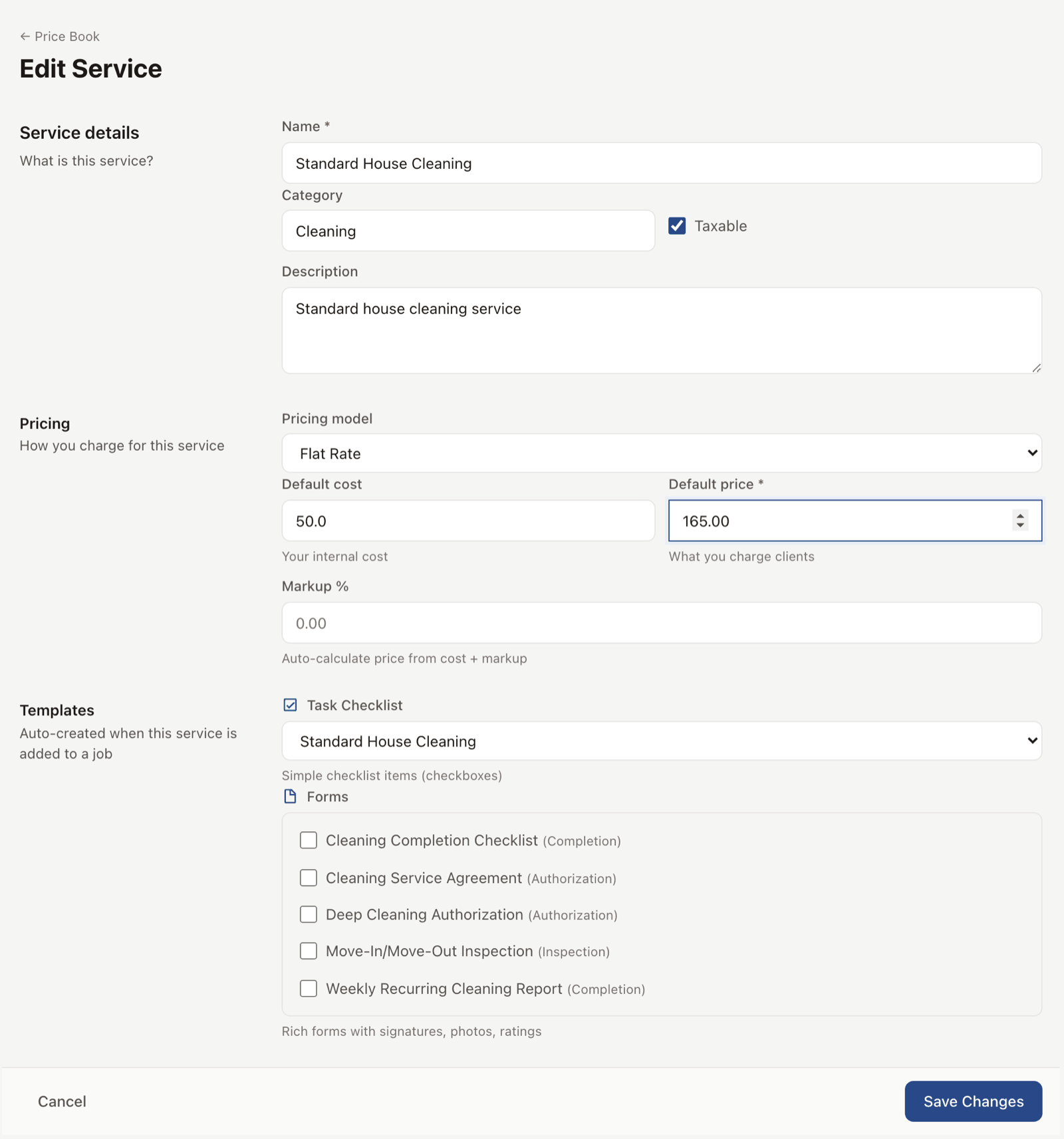
Open the service, change the price. Every quote and invoice from that point on uses the new price. Existing records keep the price they were sent at.
-
Reports group by service.
Profitability report shows revenue and hours per service, with the margin landing at the bottom of each row. You see which work is paying off and which is not.
See it live
Open the demo services list and see how the catalog feeds the quote builder.
Open the live demoNo signup. Click around.
What's included
- Service name, description, price, and tax rate
- Service categories for grouping
- Price ranges (low to high) for variable-priced work
- Show or hide each service on the public intake form
- Auto-population on quotes, jobs, invoices, and intake
- Per-service tax rate that overrides the company default
- Bulk price update across all services in a category
- Profitability report grouped by service
Plan availability
Services catalog is included on every plan, including Free. Monthly caps on related records (jobs, quotes, invoices) apply to Free; see pricing.
Common questions
What if I price each job custom?
Set the service to a price range or leave the price empty. You enter the price when you build the quote. The service name and tax still come from the catalog.
Can I have a different tax rate per service?
Yes. Set a default tax rate at the company level and override per service when needed. Useful for trades that have one tax-applicable line and one labor-only line.
What if my services change seasonally?
Hide a service from the intake form when it's out of season. The historical records keep the service for reporting, but new requests do not see it.
Can I bulk-update prices?
Yes. Edit a category or pick services in bulk and apply a percentage or fixed-amount price change.
Does this work for trades with hundreds of SKUs?
Yes. The catalog handles hundreds of services. Categories and search make navigation fast. For very large parts lists, the QuickBooks Items sync is a better fit, and we wire to that too.