Available on
On-my-way SMS and the public intake auto-reply are free on every plan. The rest turn on with Shop. See pricing.
Automatic texts and follow-ups that fire without you remembering.
On-my-way SMS, quote follow-ups, review requests, intake auto-replies. Set it once. It runs every job, quote, and request from then on.
What this solves
You know you should follow up on that quote you sent Tuesday. You know you should text the client when your tech leaves the shop. You know you should ask for a review when the job wraps up. You do not do these things consistently because you are busy doing the work. The quote sits unread for a week. The client texts you for an ETA. The five-star reviews you would have gotten just do not happen.
Workflows fix this by tying small, useful messages to events the system already tracks. When a quote is sent, a polite follow-up email goes out three days later, then again at ten days. When a worker hits "on my way," the client gets a text. When a job is marked complete, a review request goes out two hours later. None of these need your attention. They run on the events you are already creating just by using the app.
Each workflow is its own toggle. Turn on the ones you want. Skip the ones you don't.
How it works
-
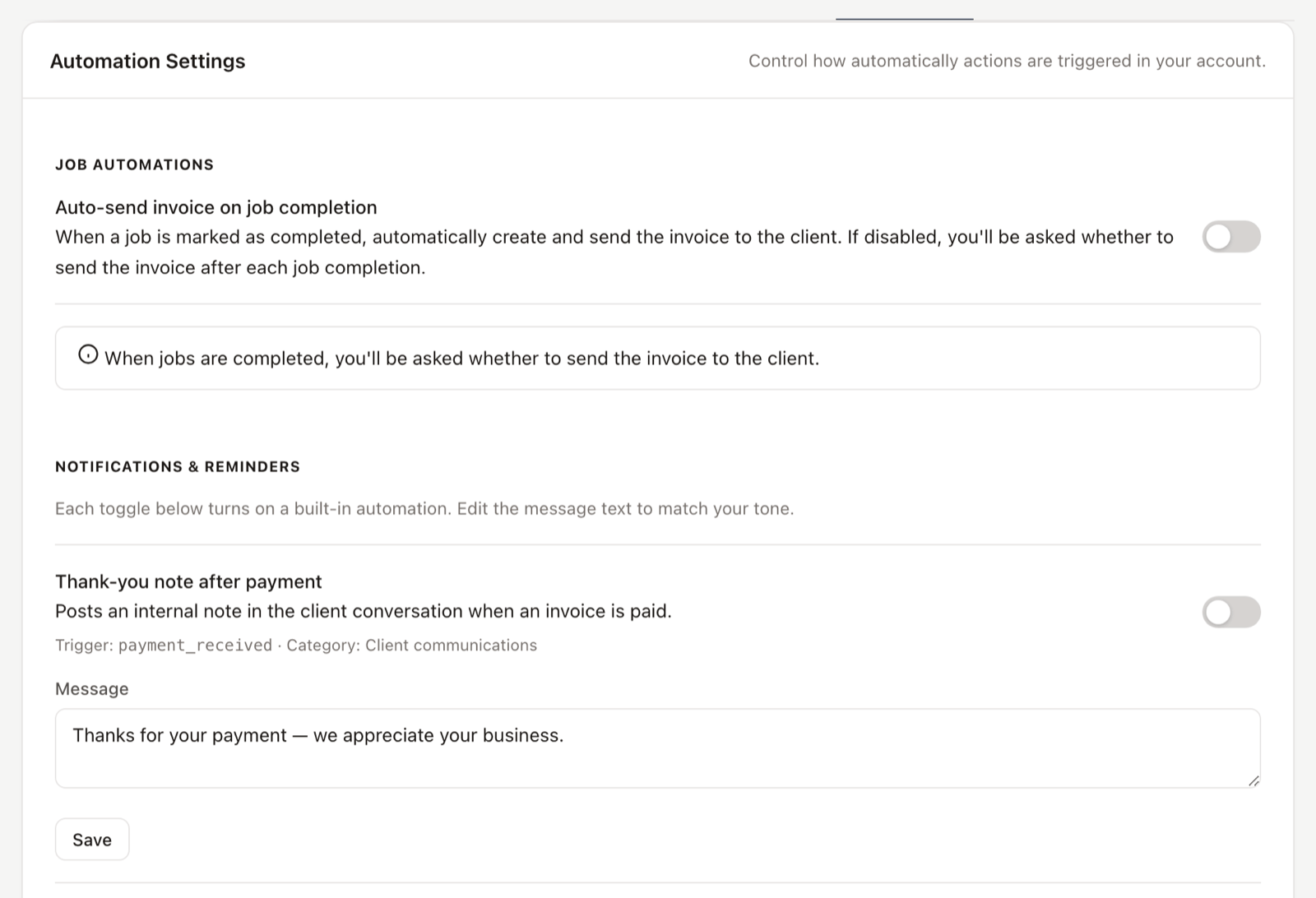
Pick the workflows you want.
Open Settings, then Workflows. You see a list of templates with plain-English descriptions. Click to toggle on. Two are on by default for every account: on-my-way notifications and the public intake auto-reply.
-
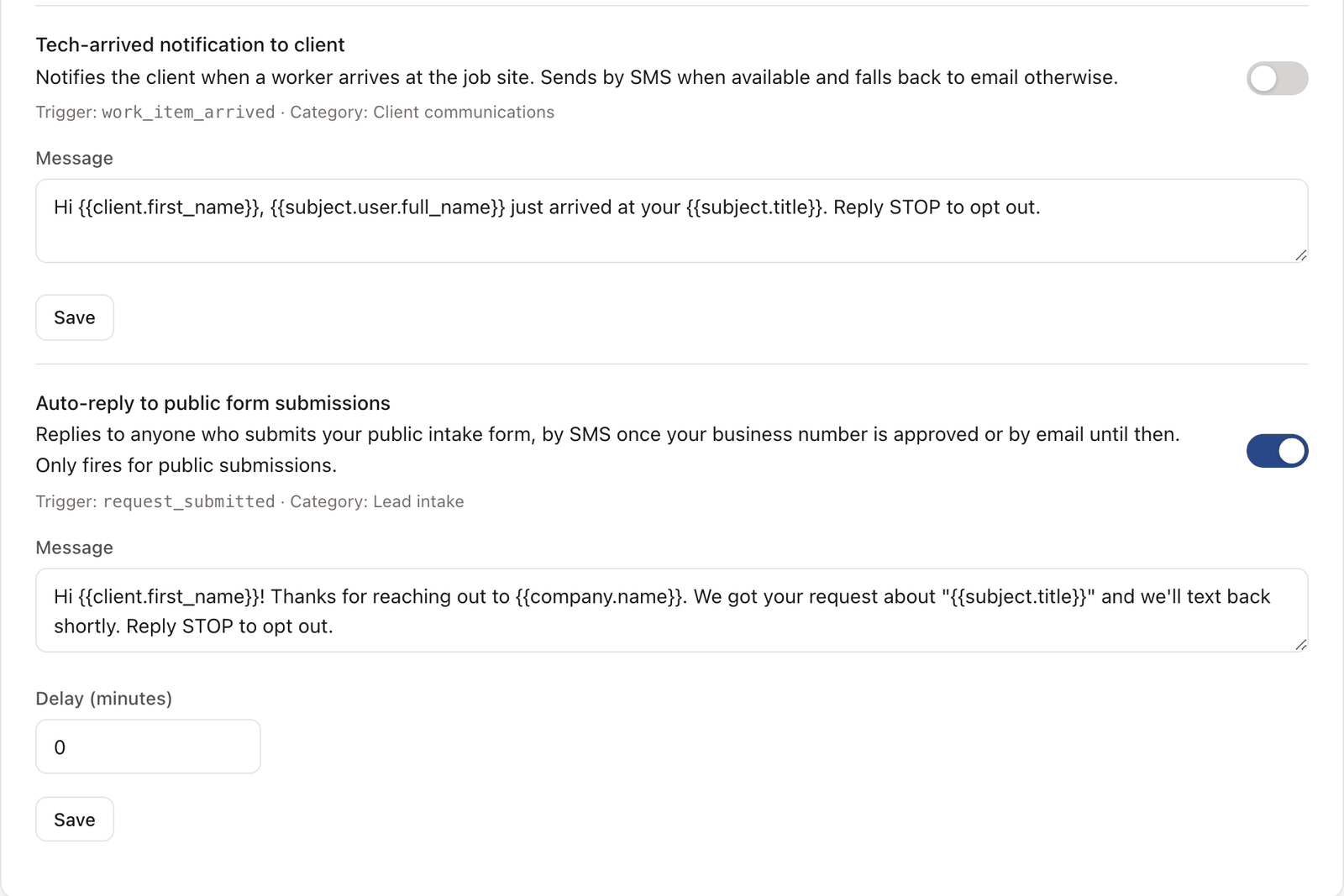
Edit the message.
Every workflow that sends a text or email shows you the template body. Edit it to sound like you. Use merge fields for the client name, the job, the technician, the time.
-
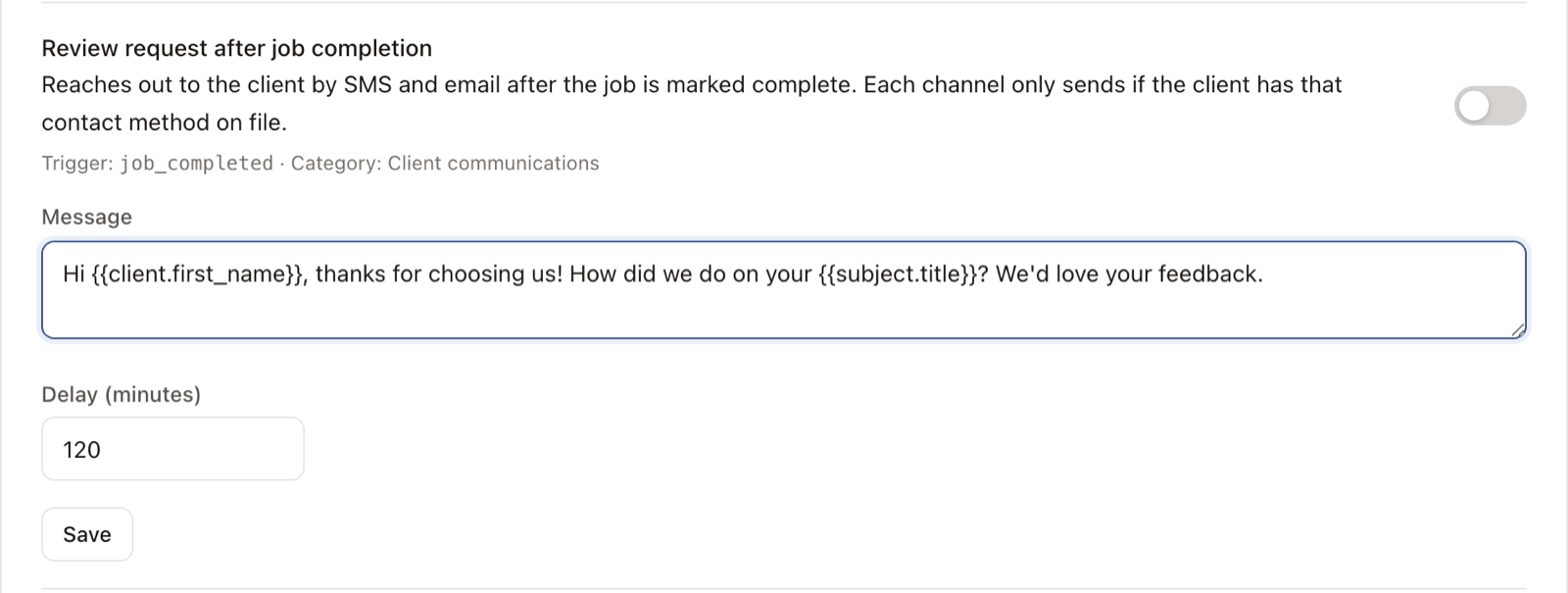
The workflow runs on the right event.
Mark a quote as "sent" and the follow-up workflow starts a three-day timer. Complete a job and the review request workflow fires. You don't trigger anything yourself. Doing the job triggers it.
-
Every automated action is logged.
The system never sends in secret. Every automated text, email, or status change posts to the conversation and the activity log so you can see exactly what went out and when.
See it live
Click into a job in the demo and see the timeline entries the workflows created.
Open the live demoNo signup. Click around.
What's included
- On-my-way SMS when a worker marks travel
- Tech-arrived SMS when a worker checks in on-site
- Public intake auto-reply (60 seconds after a request comes in)
- Quote follow-up email at 3, 10, and 24 days
- Review request SMS and email after job completion
- Payment thank-you note posted to the client conversation
- Halt rules so workflows skip if the quote is accepted or the job is cancelled
- Per-workflow edit of the message body with merge fields
Plan availability
On-my-way notifications and the public intake auto-reply are installed on every plan including Free. Quote follow-ups, review requests, tech-arrived alerts, and payment thank-you notes are included on Shop ($149/mo). See pricing.
Common questions
Will it text my client every five minutes? I don't want to be annoying.
No. Each workflow has rules about when it can and can't fire. Quote follow-up halts if the quote is accepted, rejected, or expired. Review requests fire once per job. On-my-way fires when the worker marks travel, not on every status change.
Can I edit the messages it sends?
Yes. Every template is editable from the workflow settings. Use merge fields like {{client.first_name}} and {{company.name}} to keep it personal.
What if a client replies to an automated text?
Their reply lands in your inbox and threads to the conversation. There's no special handling, it's a normal SMS from there.
Does this work without SMS?
The email-based workflows (quote follow-up, payment thank-you) work without SMS. The SMS-based ones (on-my-way, review request, intake auto-reply) need SMS turned on. You can run email-only and add SMS later.
Can I see what the automation actually sent?
Yes. Every automated send shows up on the job timeline, the client activity log, and the conversation. The system never does anything you can't audit.